Components
Showing all 3 results
-
Sale!
 Components
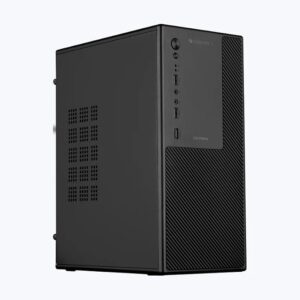
Assembled Desktop CPU with Core i3-3220 Generation 3.30Ghz II 8GB Ram DDR3 II 128GB SSD II HDMI VGA Ports II WiFi II Win 10 Pro (64 bit) II MS Office II Full Metal II Premium Design
Original price was: ₹14,990.00.₹6,499.00Current price is: ₹6,499.00. -
Sale!
 Components
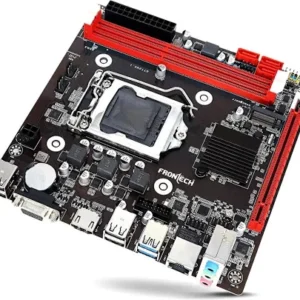
CompX Premium Motherboards (ATX | Micro-ATX | Mini-ITX | E-ATX) – High Performance, Durable & Reliable for Gaming and Work
Price range: ₹8,900.00 through ₹12,000.00ClearATXE-ATXmicroATXMini-ITX -
Sale!
 Components
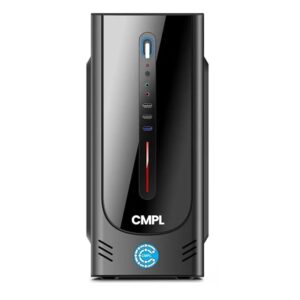
Platinum i7 Desktop | i7-1270012th Gen | 32GB | 1TB SSD| Windows 11 Pro |MS Office 2021| Wi-Fi & Bluetooth |Tower PC| 1-Year Warranty (P12WM-I3201)
Original price was: ₹69,999.00.₹61,990.00Current price is: ₹61,990.00.
1. CPUs (Processors)
The CPU is the central processing unit of your system, responsible for executing instructions and managing tasks. From entry-level processors for everyday use to high-performance chips for gaming and content creation, selecting the right CPU ensures your system runs efficiently and can handle demanding applications.
2. Motherboards
The motherboard acts as the backbone of your computer, connecting all components together. It defines compatibility with the CPU, RAM, and expansion cards, while offering ports and slots for future upgrades. A good motherboard provides stability, performance, and scalability for your build.
3. PC Cabinets (Cases)
A PC cabinet (or case) not only protects your components but also ensures optimal airflow and cooling. With various sizes (ATX, Micro ATX, Mini ITX) and designs, cases offer customizable options for cable management, storage, and aesthetic choices, creating a functional and visually appealing setup.
4. Graphics Cards (GPUs)
The GPU is essential for rendering high-quality graphics in gaming, video editing, and other visual applications. With powerful GPUs, you get smoother frame rates, better image rendering, and faster performance in graphic-intensive tasks. Whether you’re a casual gamer or a professional, there’s a GPU tailored to meet your needs.
5. Power Supply Units (PSUs)
The PSU is the lifeblood of your system, converting AC power from your outlet into DC power that your components can use. Choosing a high-quality PSU with the right wattage ensures your computer runs smoothly and safely, while preventing potential damage from power surges or insufficient power.